
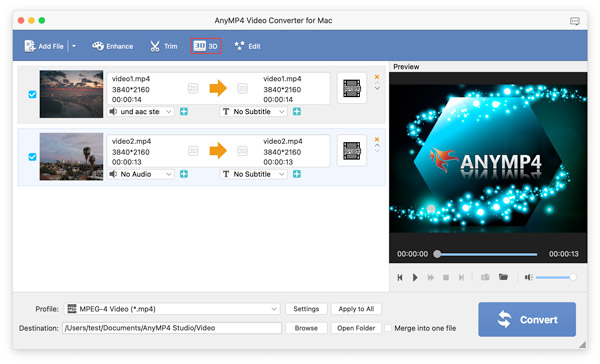
AnyMP4 PDF Converter for Mac is a versatile PDF conversion tool designed specifically for macOS users who need a fast and reliable way to convert PDF files into editable formats while preserving the original layout.
Unlike many basic PDF converters, AnyMP4 PDF Converter combines speed, accuracy, and ease of use in a lightweight application. Whether you need to convert invoices into Excel spreadsheets, edit scanned documents in Microsoft Word, or extract images from PDF files, this software offers an efficient workflow without requiring advanced technical knowledge.
Its clean interface, high conversion quality, and support for multiple output formats make it suitable for home users, students, teachers, office professionals, and small businesses alike. In this review, we’ll explore its key features, latest improvements, real-world use cases, and everything else you should know before using it on your Mac.
What is AnyMP4 PDF Converter for Mac?
AnyMP4 PDF Converter for Mac is a document conversion application that allows users to convert PDF files into several editable formats while maintaining formatting, fonts, images, tables, and page layouts as accurately as possible.
The software supports both standard PDF documents and many scanned PDFs through OCR (Optical Character Recognition), making it easier to edit content that would otherwise remain locked inside a PDF.
Key Features
- Convert PDF to Multiple Formats
- One of the strongest features is support for numerous output formats, including:
- Microsoft Word
- Excel
- PowerPoint
- Text (TXT)
- Rich Text Format (RTF)
- HTML
- EPUB
- JPEG
- PNG
- GIF
- TIFF
- This flexibility makes the software useful for different workflows.
- OCR Technology
- Built-in OCR helps convert scanned PDF documents into editable text, improving productivity when working with printed documents that have been scanned into PDF format.
- Preserve Original Formatting
- The converter maintains:
- Fonts
- Images
- Tables
- Hyperlinks
- Paragraph spacing
- Document layout
- This reduces the amount of manual editing needed after conversion.
- Batch Conversion
- Users can convert multiple PDF files simultaneously, saving time when processing large collections of documents.
- Fast Processing Speed
- The software is optimized for macOS, allowing quick conversion without significantly impacting system performance.
- Select Specific Pages
- Instead of converting an entire document, users can choose individual pages or page ranges, making document management more efficient.
- Image Extraction
- The application can extract images from supported PDF files while maintaining image quality.
- User-Friendly Interface
- The clean interface makes it easy for beginners to convert documents without complicated settings.
- High Output Quality
- Converted documents remain readable and closely resemble the original PDF, reducing the need for additional formatting.
- macOS Compatibility
- AnyMP4 PDF Converter works with modern macOS versions and is designed to provide smooth performance on both Intel-based and Apple Silicon Macs where supported.
What’s New
- Recent versions of AnyMP4 PDF Converter introduce several improvements that enhance both performance and usability.
- Improved OCR Accuracy
- Recognition quality for scanned documents has been enhanced, resulting in more accurate editable text.
- Better macOS Compatibility
- The software now offers improved stability on newer macOS releases.
- Faster Conversion Engine
- Optimized processing allows PDF files to convert more quickly while maintaining document quality.
- Interface Improvements
- Minor visual refinements provide a cleaner and more intuitive user experience.
- Bug Fixes
- Various stability improvements and bug fixes increase overall reliability during large conversion tasks.
Best Alternatives to AnyMP4 PDF Converter for Mac
- Although AnyMP4 PDF Converter for Mac is a reliable PDF conversion tool, some users may need additional editing features, cloud integration, or advanced document management. Here are some of the best alternatives for macOS users.
- Adobe Acrobat Pro
- Adobe Acrobat Pro is one of the most comprehensive PDF solutions available. It offers PDF editing, conversion, OCR, e-signatures, form creation, and document protection.
- Best For:
- Professional document management
- Business users
- Advanced PDF editing
- PDFelement for Mac
- PDFelement combines an intuitive interface with powerful editing, OCR, annotation, and conversion tools. It’s a great balance between features and ease of use.
- Best For:
- Students
- Office professionals
- Small businesses
- PDF Expert
- PDF Expert is a Mac-focused application known for its speed and clean interface. Besides PDF conversion, it provides annotation, document signing, and editing tools.
- Best For:
- macOS users
- Quick document editing
- Reading and annotating PDFs
- Cisdem PDF Converter OCR
- Cisdem PDF Converter OCR supports over 15 output formats and offers high OCR accuracy for scanned documents while preserving formatting.
- Best For:
- OCR conversion
- Batch processing
- Business documents
- Wondershare PDF Converter Pro
- Wondershare PDF Converter Pro provides fast conversion speeds, batch processing, OCR support, and compatibility with many document formats.
- Best For:
- Large PDF collections
- Productivity workflows
- Office environments
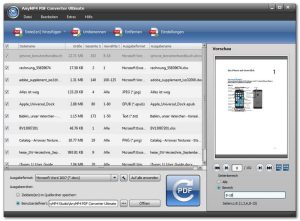
Pros and Cons
Pros
- Simple and beginner-friendly interface
- Fast PDF conversion speed
- Supports multiple output formats
- High-quality OCR technology
- Batch conversion saves time
- Preserves original formatting
- Lightweight and efficient
- Works well on modern macOS versions
- Suitable for personal and professional use
Cons
- Advanced PDF editing features are limited
- OCR accuracy depends on document quality
- Some premium features may require a paid license
- Cloud collaboration features are limited compared to enterprise solutions
System Requirements
- macOS 10.12 Sierra or later
- Intel or Apple Silicon processor
- 4 GB RAM
- 300 MB available disk space
- Internet connection for activation and updates
How to Install AnyMP4 PDF Converter for Mac
- Download the latest version from the official AnyMP4 website.
- Open the downloaded DMG installer.
- Drag AnyMP4 PDF Converter into the Applications folder.
- Launch the application from Launchpad or Finder.
- Grant any required macOS permissions if prompted.
- Import your PDF file, choose the desired output format, configure conversion settings if necessary, and click Convert.
Download AnyMP4 PDF Converter for macOS

FAQs
- Is AnyMP4 PDF Converter for Mac free?
- The software generally offers a trial version, while full functionality may require purchasing a license.
- Does it support scanned PDF files?
- Yes. The built-in OCR technology can recognize text in many scanned PDF documents and convert it into editable formats.
- Can I convert multiple PDF files at once?
- Yes. Batch conversion allows several PDF files to be processed simultaneously, improving productivity.
- Is it compatible with Apple Silicon Macs?
- Recent versions are designed to work with both Intel-based Macs and Apple Silicon models, depending on the macOS version.