
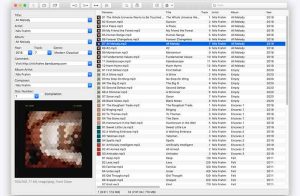
MP3Tag for macOS is a powerful yet lightweight audio tag editor designed for users who want to organize and manage their music libraries more efficiently. Whether you’re a music collector, DJ, content creator, or just a casual listener, MP3Tag helps you keep your audio files clean, properly tagged, and easy to search.
Managing large music collections manually can be frustrating, especially when song titles, artist names, album art, and metadata are missing or incorrect. MP3Tag simplifies this process by allowing users to edit audio tags in bulk, automatically rename files, and organize music libraries with just a few clicks.
The application supports a wide range of audio formats and runs smoothly on modern versions of macOS, including Macs with Apple Silicon processors. Many Mac users prefer MP3Tag for its intuitive interface, reliable performance, and advanced batch editing tools.
If you regularly work with MP3 files, podcasts, audio libraries, or music files, MP3Tag for macOS is one of the best tools available for keeping everything organized and looking professional.
Features
- Advanced Audio Tag Editing
MP3Tag allows you to quickly and accurately edit metadata such as artist name, album title, genre, release year, track number, and comments. - Batch Editing
One of the most useful features is batch editing. Users can modify the tags of hundreds of audio files simultaneously, saving a considerable amount of time. - Automatic File Renaming
The software can automatically rename music files based on their metadata, helping to keep audio libraries cleaner and more organized. - Album Cover Management
Users can add, remove, or update album cover art directly within the application for a better experience with their music library. - Multi-format audio compatibility
MP3Tag supports several audio formats, including:
• MP3
• AAC
• WAV
• FLAC
• M4A
• OGG
• AIFF
This makes it ideal for both casual users and professional audio collectors. - Apple Silicon Compatibility
The latest version is fully optimized for Apple Silicon processors, including M1, M2, and newer Macs. - Fast and Lightweight Performance
MP3Tag runs smoothly and efficiently, even when editing large music libraries. - Online Database Integration
The application can automatically retrieve metadata from online music databases, reducing manual editing time. - Clean and User-Friendly Interface
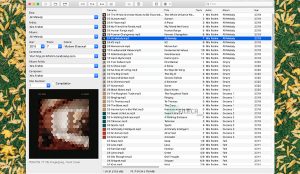
The interface is simple, intuitive, and designed to fit seamlessly into the modern macOS environment.
What’s New
- Improved macOS Sonoma Compatibility
The latest update improves stability and performance on macOS Sonoma systems. - Enhanced Optimization for Apple Silicon
Improved optimization for Macs with M1 and M2 chips delivers smoother performance and faster processing. - Faster Batch Processing
Batch tag editing and file renaming are now faster and more efficient. - Improved Metadata Accuracy
The metadata retrieval system has been improved for greater tagging accuracy. - Stability Improvements
Developers have fixed several bugs and improved overall reliability for large audio libraries.
Best Alternatives
- MusicBrainz Picard
MusicBrainz Picard is a popular open-source audio tag editor that automatically identifies and organizes music files. - Kid3 Audio Tagger
Kid3 is another lightweight metadata editor that supports multiple audio formats and batch editing. - Meta
Meta for macOS offers advanced metadata editing tools with a modern interface for Apple users. - Yate
Yate is a professional-grade audio tagging application designed for music collectors and DJs. - Swinsian
Swinsian combines music management and metadata editing in a lightweight macOS application.
Pros and Cons
Pros
- User-friendly interface
- Fast batch editing tools
- Supports multiple audio formats
- Excellent metadata management
- Lightweight and efficient
- Compatible with Apple Silicon
- Automatic album art management
Cons
- Advanced features may require experience.
- Some metadata sources may occasionally provide incomplete information.
- Interface customization options are limited.
System Requirements
- Operating system: macOS 10.14 or later
- Processor: Intel or Apple Silicon processor
- RAM: Minimum 2 GB
- Storage space: 200 MB available
- Internet connection: Required for metadata search features
How to Install
- Download MP3Tag for macOS from a trusted source.
- Open the downloaded DMG file.
- Drag the MP3Tag application to the Applications folder.
- Launch the application from Launchpad or Applications.
- Grant permissions if macOS security notifications appear.
- Import your music library into the software.
- Easily start editing metadata, album art, and file names.
Download MP3Tag for macOS

FAQs
- Is MP3Tag compatible with Macs with Apple Silicon processors?
- Yes, the latest version is compatible with Apple Silicon M1, M2, and later processors.
- Can MP3Tag edit multiple files at once?
- Yes, the software allows batch editing for large music collections.
- Does MP3Tag support FLAC and WAV files?
- Absolutely. MP3Tag supports many popular audio formats, including FLAC, WAV, AAC, and MP3.
- Is MP3Tag safe for macOS?
- Yes, MP3Tag is generally safe when downloaded from trusted sources.