
Geekbench AI Mac is one of the best tools available today. Unlike traditional benchmarking software that focuses mainly on CPU and GPU performance, Geekbench AI is specifically designed to evaluate machine learning and AI workloads on modern hardware.
As AI-powered applications become more common across macOS, developers, content creators, researchers, and technology enthusiasts need accurate performance data. Geekbench AI Mac helps users understand how well their Macs handle real-world AI tasks, making it easier to compare devices and optimize workflows.
Whether you’re using an Apple Silicon MacBook Air, MacBook Pro, Mac Studio, or Mac mini, this benchmark provides valuable insights into AI processing capabilities.
Key Features of Geekbench AI Mac
- AI-Focused Benchmarking
- Geekbench AI is built specifically for artificial intelligence workloads. Instead of testing only raw processor speed, it evaluates how efficiently a system handles machine learning operations.
- This makes it particularly useful for developers working with AI models and neural networks.
- Real-World AI Testing
- The software simulates practical AI tasks, including:
- Image recognition
- Object detection
- Natural language processing
- Computer vision workloads
- Machine learning inference
- These tests reflect how AI applications perform in everyday scenarios.
- Support for Apple Silicon
- Geekbench AI Mac is optimized for Apple Silicon chips including:
- Apple M1
- Apple M1 Pro
- Apple M1 Max
- Apple M1 Ultra
- Apple M2 Series
- Apple M3 Series
- Apple M4 Series
- This ensures accurate benchmarking across modern Mac devices.
- CPU, GPU, and Neural Engine Evaluation
- One of the most valuable features is the ability to compare different processing units.
- Users can see how:
- CPU performance affects AI tasks
- GPU acceleration improves workloads
- Apple Neural Engine contributes to machine learning operations
- This provides a complete picture of system capabilities.
- Easy-to-Understand Results
- Benchmark reports are presented in a simple format.
- Scores include:
- Single precision performance
- Half precision performance
- Quantized performance
- Even users without technical expertise can understand the results.
- Cross-Platform Comparison
- Geekbench AI allows comparisons between:
- macOS
- Windows
- Linux
- Android
- iOS
- This makes it easier to evaluate hardware across multiple platforms.
- Cloud Result Sharing
- Users can upload benchmark results online and share them with colleagues, clients, or the technology community.
- This feature is especially useful for reviewers and developers.
What’s New in the Latest Version
- The latest release of Geekbench AI Mac introduces several improvements designed to enhance accuracy and usability.
- Improved Apple Silicon Optimization
- Recent updates improve compatibility with newer Apple processors, delivering more reliable benchmark results.
- Faster Test Execution
- Benchmarking sessions now complete more efficiently, reducing waiting time without compromising accuracy.
- Enhanced Neural Engine Support
- The software better utilizes Apple’s Neural Engine, providing deeper insights into machine learning performance.
- Better Reporting Tools
- Updated result pages make it easier to compare benchmark scores across different systems.
- Stability Improvements
- Several bug fixes and performance enhancements help create a smoother benchmarking experience.
Best Alternatives to Geekbench AI Mac
- Geekbench 6
- Geekbench 6 focuses on CPU and GPU performance rather than AI-specific workloads.
- Best For
- General system benchmarking.
- Cinebench
- Cinebench evaluates rendering performance using advanced graphics workloads.
- Best For
- 3D artists and video editors.
- Blender Benchmark
- Blender Benchmark measures rendering performance across different hardware configurations.
- Best For
- Creative professionals.
- MLPerf
- MLPerf provides industry-standard AI benchmarking.
- Best For
- Enterprise and research environments.
- Novabench
- Novabench offers a lightweight benchmarking solution covering overall system performance.
- Best For
- Quick hardware evaluations.
Pros and Cons
Pros
- Designed specifically for AI workloads
- Excellent Apple Silicon support
- Fast and lightweight
- Easy-to-read reports
- Cross-platform compatibility
- Useful for developers and creators
- Cloud-based result sharing
Cons
- Limited value for non-AI users
- Advanced metrics may require technical knowledge
- Fewer customization options than some enterprise tools
- AI benchmarks may not represent every real-world scenario
System Requirements
- Before installing Geekbench AI Mac, ensure your system meets the following requirements.
- Operating System
- macOS Monterey or later recommended
- Processor
- Intel Mac or Apple Silicon processor
- Memory
- Minimum 4 GB RAM
- 8 GB or more recommended
- Storage
- At least 500 MB of free disk space
- Internet Connection
- Required for online result uploads and comparisons
How to Install Geekbench AI on Mac
- Installing Geekbench AI Mac is straightforward.
- Download the latest version from the official Geekbench website.
- Open the downloaded DMG file.
- Drag Geekbench AI into the Applications folder.
- Launch the application from Launchpad or Finder.
- Grant any necessary permissions requested by macOS.
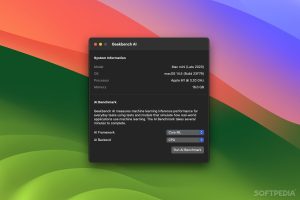
- Select the benchmark mode and begin testing.
- The software will analyze your hardware and generate detailed AI performance results.
Download Geekbench AI for macOS

FAQs
- What is Geekbench AI Mac?
- Geekbench AI Mac is an AI benchmarking tool that measures machine learning performance on macOS devices.
- Is Geekbench AI free?
- A free version is typically available, while advanced features may require a paid license depending on the edition.
- Does Geekbench AI support Apple Silicon?
- Yes. It supports Apple Silicon processors, including M1, M2, M3, and newer chip generations.
- Can Geekbench AI compare Macs with Windows PCs?
- Yes. The benchmark supports cross-platform comparisons between macOS, Windows, Linux, Android, and iOS devices.