
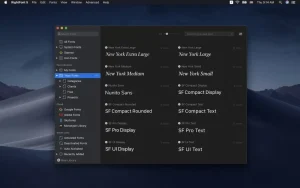
RightFont Mac is a modern font management tool designed specifically for macOS users who want fast, organized, and hassle-free font control.
RightFont Mac font manager helps designers, developers, and content creators easily preview, activate, and organize fonts without slowing down their workflow. Instead of dealing with messy system fonts or slow font libraries, RightFont provides a clean and structured experience.
In this detailed guide, we will explore RightFont 10.0.0 Mac features, updates, alternatives, system requirements, installation steps, and real-world use cases to help you decide if it is the right tool for you.
Features of RightFont 10.0.0 Mac
- Smart Font Management
- RightFont 10.0.0 Mac allows users to organize fonts in a structured way. You can create font collections, categorize styles, and quickly access fonts for different projects.
- Real-Time Font Preview
- One of the most useful features is real-time preview. Users can instantly see how fonts look in different sizes and styles without applying them manually in design software.
- Adobe Integration
- RightFont integrates smoothly with Adobe Creative Cloud apps like Photoshop, Illustrator, and InDesign. This makes it extremely useful for professional designers.
- Google Fonts Support
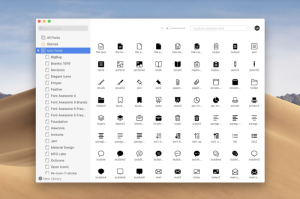
- Users can directly browse and activate Google Fonts within the app, making it easier to expand typography options for projects.
- One-Click Activation
- Fonts can be activated or deactivated with a single click. This helps reduce system load and keeps only necessary fonts active.
- Cloud Sync
- RightFont supports cloud syncing, allowing users to access font libraries across multiple devices.
- Fast Performance
- Even with thousands of fonts, RightFont 10.0.0 Mac maintains smooth and responsive performance without lag.
What’s New in RightFont 10.0.0 Mac
- Improved macOS compatibility including latest versions
- Faster font loading and rendering speed
- Enhanced Adobe Creative Cloud integration
- Better UI design with smoother navigation
- Improved font activation system
- Bug fixes and stability improvements
Best Alternatives to RightFont 10.0.0 Mac
- FontBase
- A modern font manager with a clean interface.
- Pros:
- Free version available
- Cloud sync support
- Simple UI
- Cons:
- Limited advanced features
- Typeface
- A macOS-native font management tool.
- Pros:
- Beautiful design
- Easy font browsing
- Lightweight
- Cons:
- Paid software
- Fewer automation features
- Suitcase Fusion
- A professional-grade font management solution.
- Pros:
- Powerful font organization
- Advanced workflows
- Industry standard
- Cons:
- Expensive
- Complex for beginners
- FontExplorer X Pro
- A long-standing font management tool.
- Pros:
- Strong organizational tools
- Reliable performance
- Cons:
- Outdated interface
- Less frequent updates
Pros and Cons of RightFont 10.0.0 Mac
Pros
- Easy font organization
- Fast performance even with large libraries
- Adobe Creative Cloud integration
- Google Fonts support
- Clean and modern interface
- Cloud sync capability
Cons
- Paid software for full features
- May take time to learn advanced options
- Requires system permissions for font management
System Requirements
- Before installing RightFont 10.0.0 Mac, ensure your system meets the following requirements:
- Latest macOS version
- 8 GB RAM or more
- SSD storage for faster performance
How to Install RightFont 10.0.0 Mac
- Download the Software
- Download RightFont 10.0.0 Mac from the official website or trusted source.
- Open DMG File
- Locate the downloaded file and open the DMG installer.
- Drag to Applications
- Drag the RightFont icon into the Applications folder.
- Launch the App
- Open RightFont from Launchpad or Finder.
- Grant Permissions
- Allow necessary macOS permissions for font management.
- Start Organizing Fonts
- Import your font library and start managing your typography easily.
Download RightFont for macOS

FAQs
- Is RightFont 10.0.0 Mac free?
- RightFont offers a trial version, but full features require a paid license.
- Does RightFont support Adobe apps?
- Yes, it integrates smoothly with Adobe Photoshop, Illustrator, and InDesign.
- Is RightFont safe for macOS?
- Yes, it is safe when downloaded from official or trusted sources.
- Can I sync fonts across devices?
- Yes, RightFont supports cloud synchronization for multiple devices.