
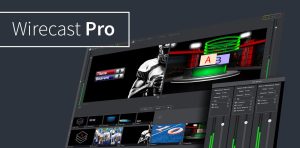
Wirecast Pro Mac Streaming Software allows users to capture, mix, and stream high-quality video content to platforms like YouTube, Facebook Live, Twitch, and more. It turns a Mac into a full production studio, enabling multi-camera switching, real-time effects, and professional broadcast control.
Unlike basic streaming tools, Wirecast Pro is built for serious creators who need stability, flexibility, and broadcast-level quality.
Features of Wirecast Pro 16.5.2 for Mac
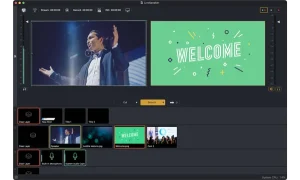
- Multi-Camera Live Switching
- Wirecast Pro allows users to connect and switch between multiple camera sources in real time.
- You can use:
- DSLR cameras
- Webcams
- Screen capture sources
- External capture devices
- This makes live production more dynamic and professional.
- Professional Live Streaming Engine
- The software supports direct streaming to major platforms, including:
- YouTube Live
- Facebook Live
- Twitch
- Vimeo Live
- Custom RTMP servers
- This flexibility makes it ideal for creators across different industries.
- Built-in Media Library
- Wirecast includes a media library where users can store and manage:
- Video clips
- Images
- Audio files
- Graphics overlays
- This helps streamline production workflows.
- Advanced Audio Controls
- High-quality audio is critical for live streaming. Wirecast Pro provides:
- Audio mixing tools
- Noise reduction options
- Multi-channel audio support
- Real-time monitoring
- This ensures professional sound output during broadcasts.
- Real-Time Effects & Transitions
- Users can enhance streams with:
- Scene transitions
- Video overlays
- Lower thirds
- Green screen effects (Chroma Key)
- These features improve audience engagement and visual appeal.
- Replay & Instant Playback
- Wirecast supports instant replay functionality, commonly used in:
- Sports streaming
- Event broadcasting
- Esports coverage
- This feature adds a professional broadcast experience.
- Recording While Streaming
- Users can simultaneously record streams in high quality for later editing or uploading.
- Cloud Integration
- Wirecast supports cloud-based workflows, making it easier to:
- Share content
- Store media assets
- Collaborate remotely
What’s New in Wirecast Pro 16.5.2
- The 16.5.2 update brings improvements focused on stability and performance.
- Improved Streaming Stability
- Reduced lag and better connection handling during live broadcasts.
- Enhanced macOS Optimization
- Better performance on newer macOS versions and Apple Silicon devices.
- Bug Fixes
- Several minor issues have been resolved for smoother operation.
- Improved Audio Sync
- Better synchronization between audio and video streams.
- UI Enhancements
- More responsive and cleaner interface for easier navigation.
Best Alternatives to Wirecast Pro 16.5.2 for Mac
- If you want to explore other streaming tools, here are some strong alternatives:
- OBS Studio
- A free and open-source streaming software widely used by creators.
- Ecamm Live
- A Mac-focused streaming tool with a simple interface.
- Streamlabs Desktop
- Popular among gamers and live streamers with built-in overlays.
- vMix
- A professional live production software for advanced users.
- Restream Studio
- Browser-based streaming platform with multi-platform support.
Pros and Cons
Pros
- Professional Broadcasting Tools
- Suitable for advanced live production environments.
- Multi-Platform Streaming
- Stream to multiple platforms simultaneously.
- Flexible Input Support
- Supports multiple camera and media sources.
- Real-Time Production Control
- Live switching and effects for dynamic content.
Cons
- Learning Curve
- May be complex for beginners.
- High System Requirements
- Requires powerful Mac hardware for best performance.
- Premium Pricing
- More expensive than basic streaming tools.
System Requirements
- Before installing Wirecast Pro 16.5.2 for Mac, ensure your system meets the requirements.
- Latest macOS version
- Apple M-series chip
- 16 GB RAM or more
- Dedicated GPU (if available)
- SSD storage
How to Install Wirecast Pro 16.5.2 for Mac
- Download Installer
- Download Wirecast Pro from a trusted source or official website.
- Open DMG File
- Double-click the downloaded file to mount it.
- Install Application
- Drag Wirecast into the Applications folder.
- Launch Software
- Open it from Launchpad or Applications directory.
- Configure Settings
- Set up cameras, audio sources, and streaming destinations.
Download Wirecast Pro for macOS

FAQs
- Is Wirecast Pro good for beginners?
- It is more suitable for intermediate and professional users due to its advanced features.
- Can Wirecast stream to multiple platforms?
- Yes, it supports multi-platform streaming including YouTube, Facebook, and Twitch.
- Does Wirecast work on Apple Silicon Macs?
- Yes, it is optimized for modern macOS and Apple Silicon devices.
- Is Wirecast better than OBS?
- Wirecast offers more professional features, while OBS is free and simpler to use.