
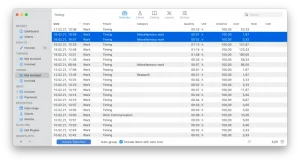
GrandTotal Mac comes in. Designed specifically for macOS users, GrandTotal is a professional invoicing and business management application that helps freelancers, consultants, agencies, and small business owners stay organized and get paid faster.
Unlike generic accounting tools, GrandTotal focuses on simplicity while offering powerful features for creating invoices, tracking payments, managing clients, and generating business documents. Its native macOS design, intuitive interface, and comprehensive feature set make it a popular choice among professionals who want a reliable invoicing solution without unnecessary complexity.
In this review, we’ll take an in-depth look at GrandTotal Mac, including its features, latest updates, alternatives, pros and cons, installation process, and system requirements.
Key Features of GrandTotal Mac
- Professional Invoice Creation
- The core strength of GrandTotal is its invoice management system.
- Users can quickly create:
- Professional invoices
- Quotes and estimates
- Credit notes
- Payment reminders
- Business documents
- Templates are customizable, allowing businesses to maintain consistent branding across all client communications.
- Real-World Use Case
- A freelance graphic designer can generate polished invoices in minutes and send them directly to clients without relying on third-party services.
- Client Management
- Managing customer information becomes easier with GrandTotal’s built-in client database.
- Users can store:
- Client names
- Contact details
- Billing information
- Project histories
- Payment records
- This centralized approach reduces administrative workload and improves organization.
- Estimate and Quote Generation
- Before starting a project, many businesses need to provide quotes or estimates.
- GrandTotal allows users to:
- Create detailed estimates
- Convert estimates into invoices
- Track approval status
- Maintain pricing consistency
- This helps streamline the sales process from inquiry to payment.
- Payment Tracking
- Keeping track of outstanding invoices is critical for maintaining healthy cash flow.
- GrandTotal provides tools for:
- Monitoring payment status
- Recording payments
- Tracking overdue invoices
- Managing payment reminders
- Users can quickly identify unpaid invoices and follow up when necessary.
- Recurring Invoices
- For subscription-based services or ongoing client relationships, recurring invoices save significant time.
- This feature automatically generates invoices at predefined intervals, reducing manual work and ensuring consistency.
- Tax and Financial Management
- GrandTotal supports various tax configurations, helping businesses remain compliant with local regulations.
- Users can:
- Apply tax rates
- Manage VAT calculations
- Generate financial summaries
- Review revenue reports
- This simplifies bookkeeping and accounting tasks.
- Document Customization
- Branding is important for professional businesses.
- GrandTotal offers customization options including:
- Company logos
- Custom templates
- Color schemes
- Layout adjustments
- This allows invoices and estimates to reflect a professional business identity.
What’s New in the Latest Version
- Recent updates have introduced several improvements to enhance productivity and reliability.
- Improved Apple Silicon Support
- Performance has been further optimized for Apple Silicon Macs, delivering faster operation and improved efficiency.
- Enhanced Invoice Templates
- Users now have greater flexibility when customizing invoices and business documents.
- Better Client Management Tools
- Updates make it easier to organize customer information and track project histories.
- Improved Financial Reporting
- Reporting capabilities have been expanded to provide deeper business insights.
- User Interface Refinements
- Several design enhancements improve navigation and overall usability.
- Bug Fixes and Stability Improvements
- Developers have addressed minor issues and improved overall application reliability.
Best Alternatives to GrandTotal Mac
- FreshBooks
- FreshBooks is a cloud-based invoicing and accounting platform popular among freelancers and service-based businesses.
- Best For
- Users seeking cloud access and online collaboration features.
- Invoice Ninja
- Invoice Ninja offers invoicing, payment tracking, and client management tools with both free and paid options.
- Best For
- Businesses looking for flexibility and affordability.
- QuickBooks
- QuickBooks provides advanced accounting features alongside invoicing capabilities.
- Best For
- Growing businesses that require comprehensive financial management.
- Zoho Invoice
- Zoho Invoice delivers professional invoicing tools with strong automation features.
- Best For
- Small businesses looking for scalable invoicing solutions.
- Bonsai
- Bonsai combines contracts, invoicing, proposals, and project management in one platform.
- Best For
- Freelancers and consultants managing client projects.
Pros and Cons
Pros
- Professional invoice generation
- Excellent client management tools
- Native macOS application
- Recurring invoice support
- Customizable templates
- Tax calculation features
- Apple Silicon compatibility
Cons
- Primarily focused on invoicing rather than full accounting
- Advanced financial reporting may be limited for larger businesses
- Some users may prefer cloud-based solutions
System Requirements
- macOS 11 Big Sur or later
- Intel-based Mac or Apple Silicon Mac
- Minimum 4 GB RAM
- Available storage space for installation
- Internet connection for updates and online services
- Administrator permissions for installation
How to Install GrandTotal Mac
- Download the Software
- Download the latest version from the official developer website.
- Open the Installer
- Locate the downloaded DMG file and launch it.
- Move to Applications
- Drag the GrandTotal icon into the Applications folder.
- Launch the Application
- Open GrandTotal through Launchpad or Finder.
- Configure Business Information
- Enter company details, tax information, and branding preferences.
- Create Your First Invoice
- Set up a client profile and begin generating invoices immediately.
FAQs
- ¿Es GrandTotal para Mac adecuado para autónomos?
- Sí. GrandTotal es especialmente popular entre los autónomos por su facilidad de uso para crear facturas y gestionar clientes.
- ¿Es GrandTotal compatible con Macs con procesadores Apple Silicon?
- Sí. La aplicación está optimizada para procesadores Apple Silicon y funciona de forma eficiente en hardware Mac moderno.
- ¿Puede GrandTotal crear facturas recurrentes?
- Sí. Los usuarios pueden automatizar las facturas recurrentes para servicios de suscripción y proyectos en curso.
- ¿Cuáles son las mejores alternativas a GrandTotal?
- FreshBooks, Invoice Ninja y QuickBooks se encuentran entre las alternativas más populares, dependiendo de las necesidades de cada empresa.